

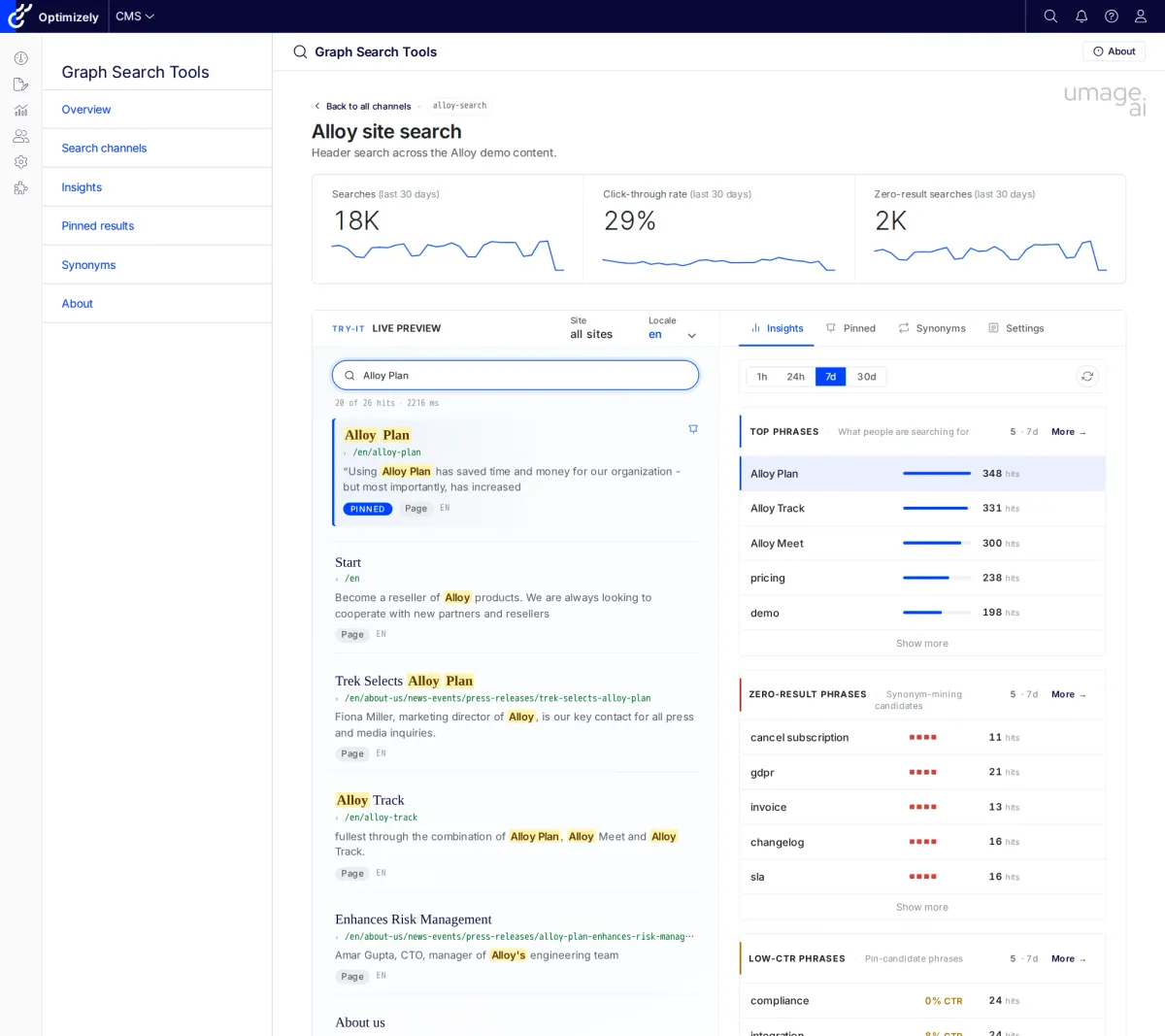
Graph Search Tools is a free, MIT-licensed addon for Optimizely CMS 12 and CMS 13 that brings the marketer-facing search tools — pinned results, synonyms, and search analytics — back on top of Optimizely Graph.
Today we’re open-sourcing Graph Search Tools — a free, MIT-licensed addon that brings the marketer-facing search tools (pinned results, synonyms, search analytics) back on top of Optimizely Graph. The same NuGet package works on Optimizely CMS 12 (.NET 8) and CMS 13 (.NET 10). The source is on GitHub.
Why we built it
Optimizely Graph replaced Search & Navigation as the search engine on the platform. Graph is a great retrieval engine. What it didn’t ship with is the marketer-facing tooling that Search & Navigation came with:
- No built-in editorial view of what users are searching for
- No first-party UI for pinned results or synonyms inside the CMS shell
- No dashboard for zero-result or low-CTR queries
We ran into this gap on a Nordic industrial customer migrating their ecommerce search from Elastic to Graph. We built the missing tools for that project and decided the right thing was to open-source them.
We’re not the first community project in this space — OptiGraphExtensions has covered synonym and pinned-result management on the Optimizely NuGet feed since 2025. Graph Search Tools approaches the same problem from the marketer side: it shows you which searches users are actually running (including the ones that return nothing), lets you test a change against your real site search without asking a developer to redeploy, and ties the pins you create in the editor to the exact search your site fires — so the pin you set up is the pin your users see. The two projects can coexist; pick whichever fits your team.
Insights
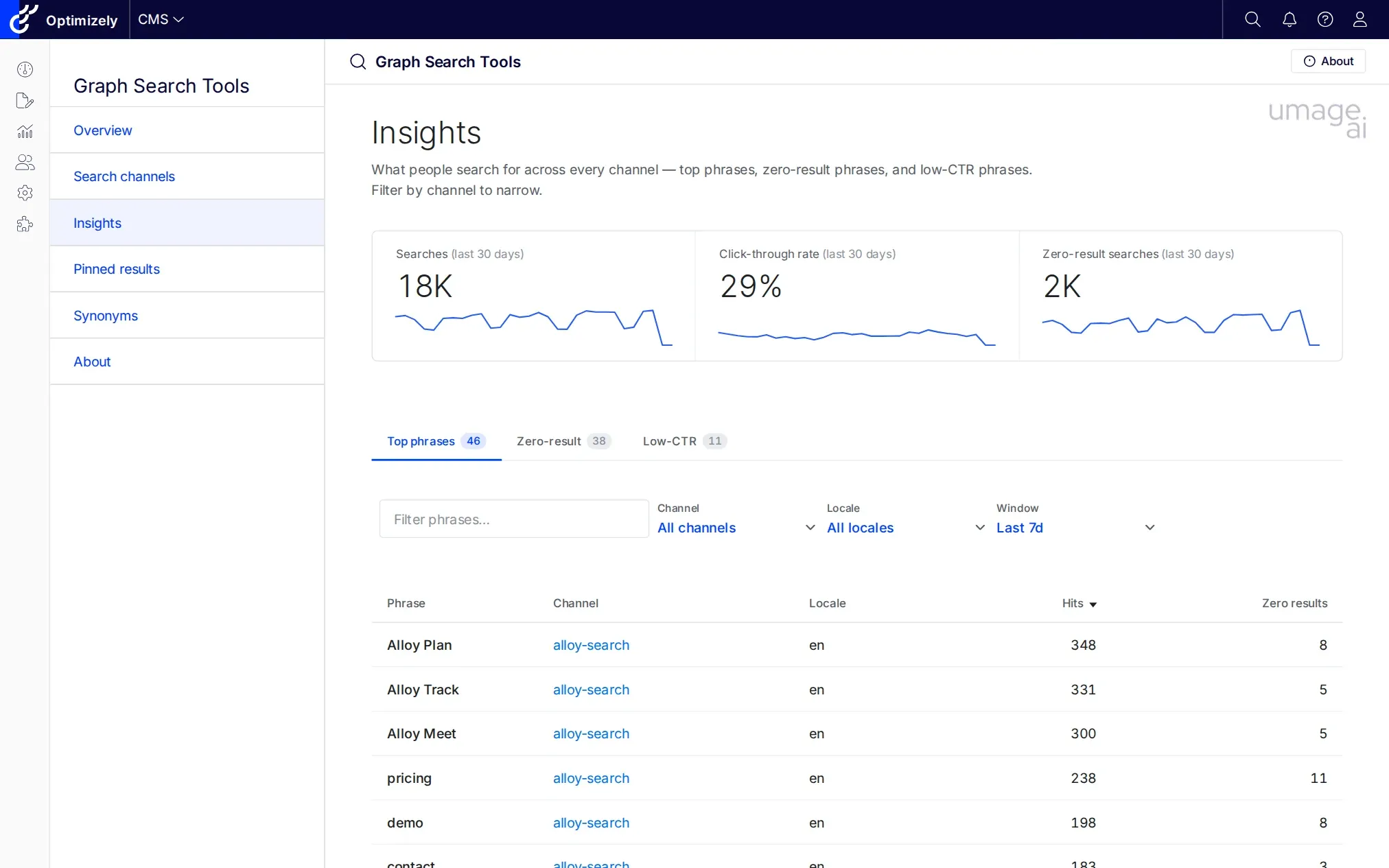
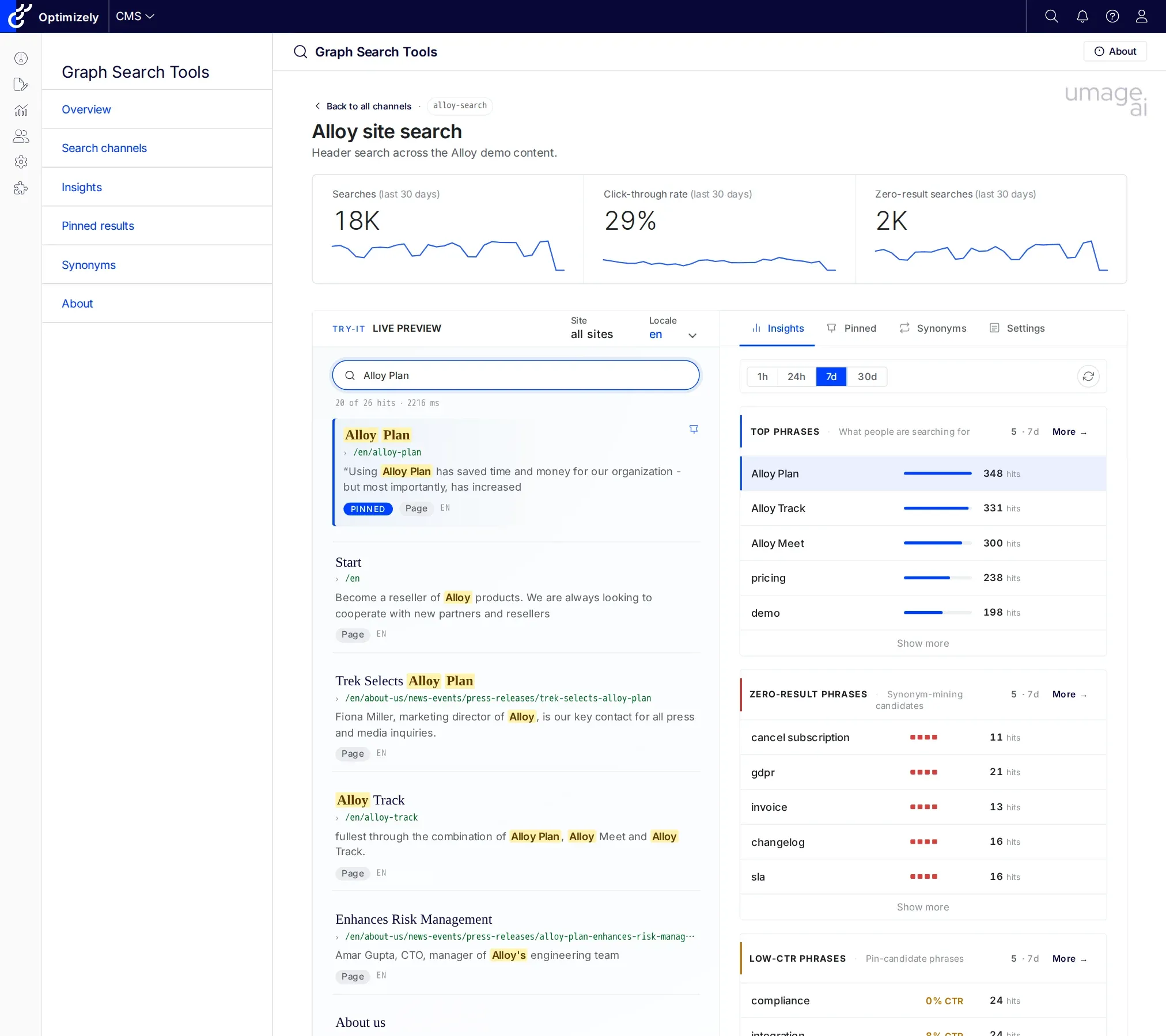
The Insights dashboard answers the question Graph doesn’t: what are people typing into the search bar, and where is it failing? Top phrases, zero-result candidates, and low-CTR phrases — filtered by channel and locale over a 24-hour, 7-day, or 30-day window.
The same window set scopes the Insights tab on each Channel detail page, where it shares state with the Contextual preview.
The data comes from a public ingest beacon — your frontend calls POST /api/telemetry/searchlog when a query runs, and the search log is stored in DDS. There’s no external pipeline and no third-party analytics contract. (When you’re ready, the same log can be forwarded to your analytics stack — the built-in store is the quick-start path, not a dead end.)
Pinned results
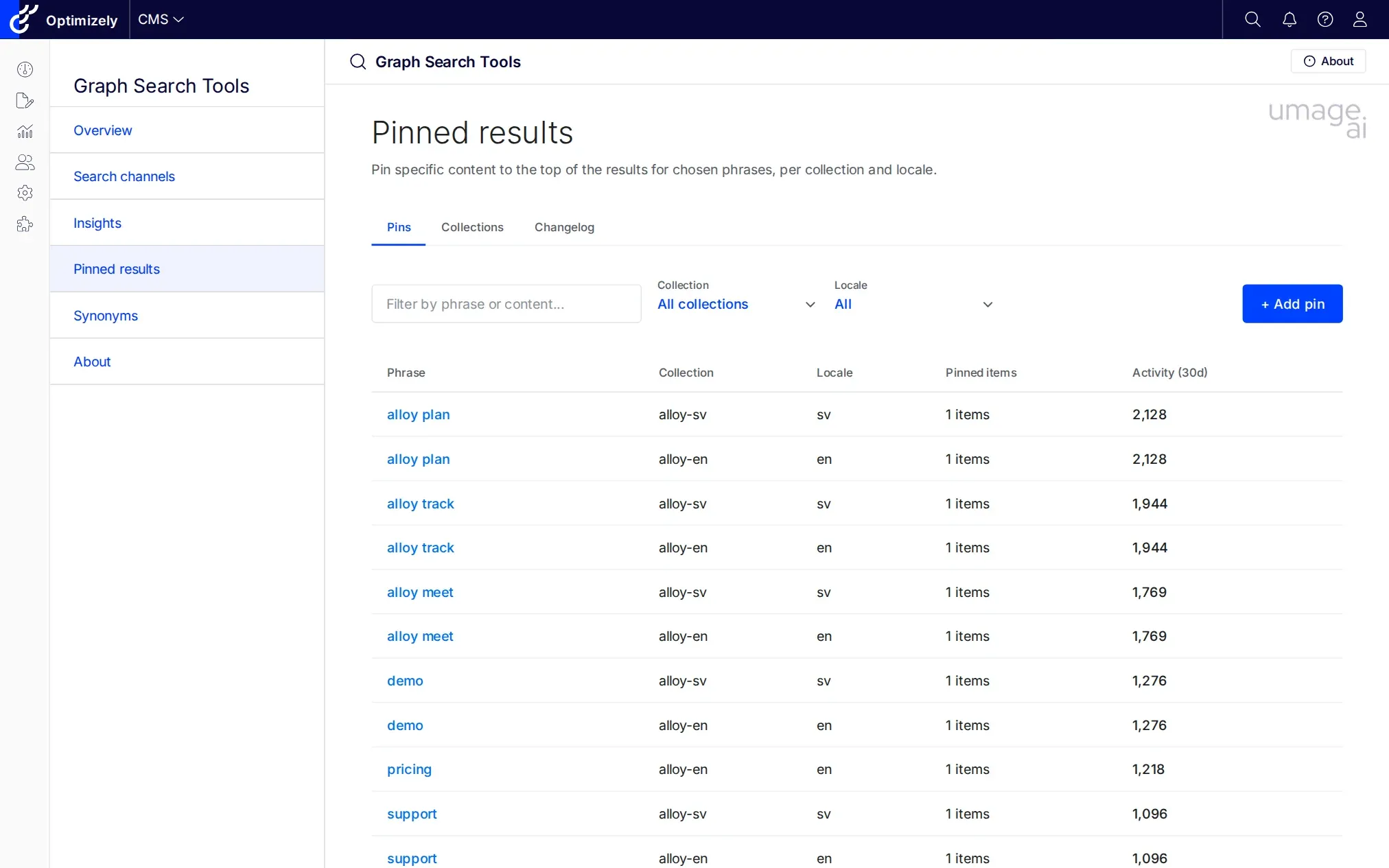
When the algorithm gets the priority wrong — the launch product isn’t on the first page, the seasonal hero is buried — you pin the result. The Pins tab lists every active pin across the tenant with hits, CTR, and zero-result columns inline, so you can spot coverage holes (unpublished targets, expired pins, pins nobody clicks) at a glance.
The important detail is that pins are scoped to the channel’s pinned-collection key. That means a pin you create in the CMS is guaranteed to fire in the live query rather than disappearing into a tenant-global collection nobody reads.
Synonyms
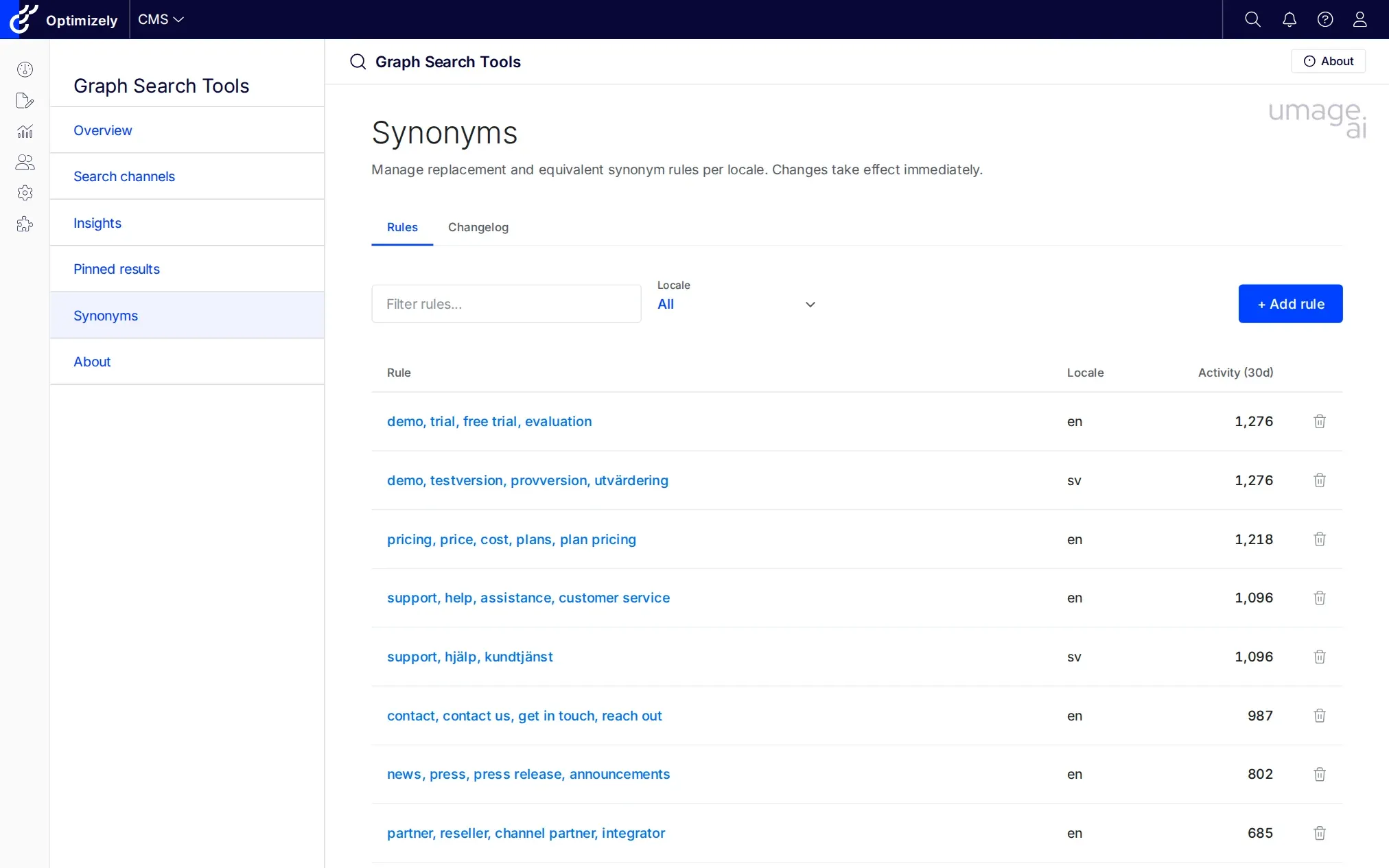
Replacement and equivalent rules per locale, with a last-30-days activity column and a full changelog. Graph synonyms live in a tenant-global pool, so this surface is channel-agnostic by design. The activity column makes it easy to spot unused rules — usually the moment you find out that “trainers → sneakers” was already added by someone two years ago.
Contextual preview
The Channel detail page hosts a Contextual preview that runs the same GraphQL document your production frontend fires. You change a pin, type the query, and watch the result move — no redeploy required.
Get started
Graph Search Tools is on GitHub, MIT-licensed, and there’s a fuller tour on the umage product page. Install instructions, the channel registration API, and the full configuration reference are in the readme.
If you’re migrating from Search & Navigation, or specifying Graph for a new build and want a hand with the relevance side of it, get in touch.