

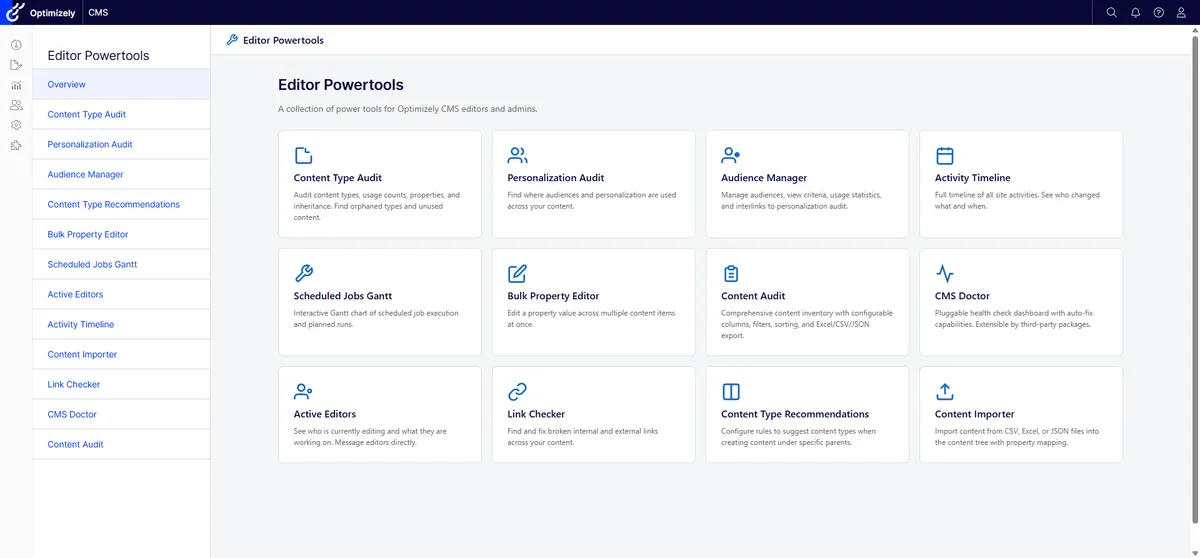
Great web experiences come from great content, and great content needs the right tools. Editor Power Tools is a free, open-source Optimizely CMS 12 and 13 add-on with nearly twenty audits, bulk-edit helpers, and editorial productivity tools — the toolkit I kept rebuilding for clients, now bundled into one NuGet package.
I’ve spent more years inside Optimizely installations than I care to count. Different clients, different industries, different tech stacks bolted onto the side, but a few patterns keep repeating. One of them is what happens when I sit down on day one of an engagement and start poking at the content model.
Almost every long-running Optimizely site has the same problem with content types. Page types and block types accumulate. Each one was justified at the time it was added: a campaign needed something specific, a section grew its own variant, a developer didn’t realise there was already a type that would have worked. Five years in, the create-content dialog is a wall of options, and editors quietly stop trusting it.
The tail is usually worse than the head. A handful of types do most of the work. Many more sit in the picker, used once, twice, never. Some refer to .NET classes that haven’t been deployed for two upgrades. None of this is broken in the sense that anything throws an exception. It just makes editors slower, and every new editor onboarded pays the cost.
I started writing little scripts to look at this. What types are defined? Where are they used? Which ones haven’t been touched in eighteen months? The first version cribbed from Nicola Ayan’s EpiserverCmsAudit, which had been a quiet favourite of mine for years. Then I started solving the same problem from the other end: when an editor does sit down to create content, can the CMS suggest the right type instead of making them remember?
That second question turned into a tool of its own. Then I noticed I was reaching for several of these little tools, on every project, almost reflexively.
Same root problem, solved from two ends — visibility on one side, leverage on the other.
This isn’t only an Optimizely story. Every long-running content management system accumulates things nobody has time to look at: broken links, stale translations, orphaned visitor groups, scheduled jobs nobody remembers configuring, content that was supposed to be archived three rebrands ago. Editors live with all of it. Developers see it through the support tickets that get raised, and the ones that don’t because the editor gave up and emailed someone instead.
Great web experiences come from great content. Great content comes from editors who can find what they need, change what they need, and trust that the picker isn’t lying to them. The platform you build on matters less than people sometimes assume. What matters is the toolbox around it.
Why Optimizely is the right place to do this
Optimizely’s edit experience is one of the better ones on the market — that part isn’t broken. Where it shines is that it’s extensible enough that someone outside Optimizely can add the things that aren’t in the box. Protected modules. IContentTypeAdvisor. Scheduled jobs. SignalR hubs. The platform doesn’t fight you when you want to make it nicer; it lets you.
That’s a quietly underrated trait. Most of what makes a CMS pleasant to live with for ten years isn’t shipped in version 1.0; it grows around the platform. A vendor that gets out of the way and lets that happen is doing more for editors than one trying to ship everything.
So that’s what I did.
Editor Power Tools
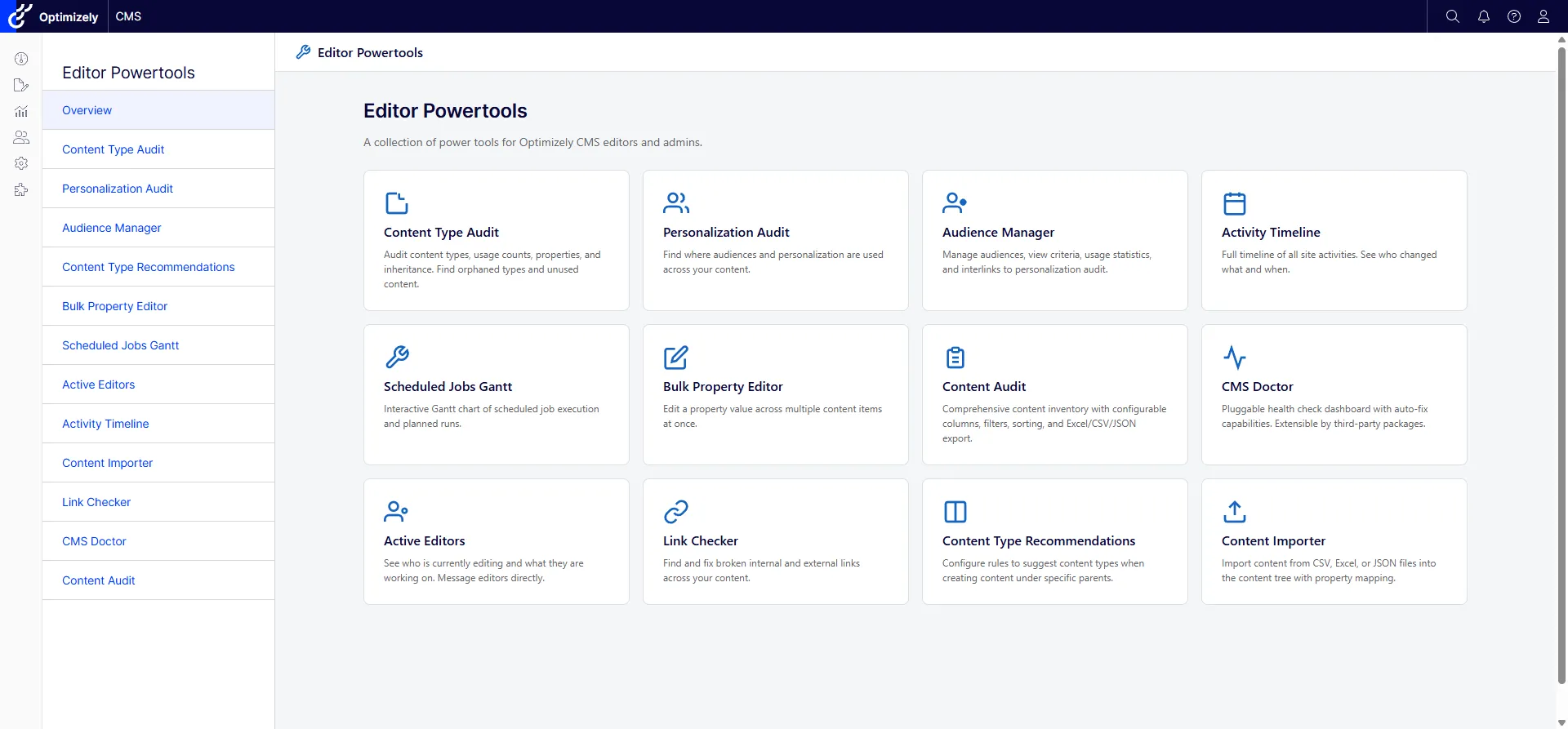
Editor Power Tools is an open-source, MIT-licensed Optimizely CMS add-on. It bundles the audits, bulk-edit helpers, content-modelling visualisers, health checks, and editor-presence tools I’d been rebuilding for clients into a single NuGet package. The same package supports Optimizely CMS 12 on .NET 8 and CMS 13 on .NET 10, so you don’t have to choose.
dotnet add package UmageAI.Optimizely.EditorPowerToolsThere are nearly twenty tools in there, organised in four groups. Rather than parade all of them through this post, I’ll show one from each category. Each group is the topic of its own post over the next few weeks.
Audits — what’s actually in your CMS
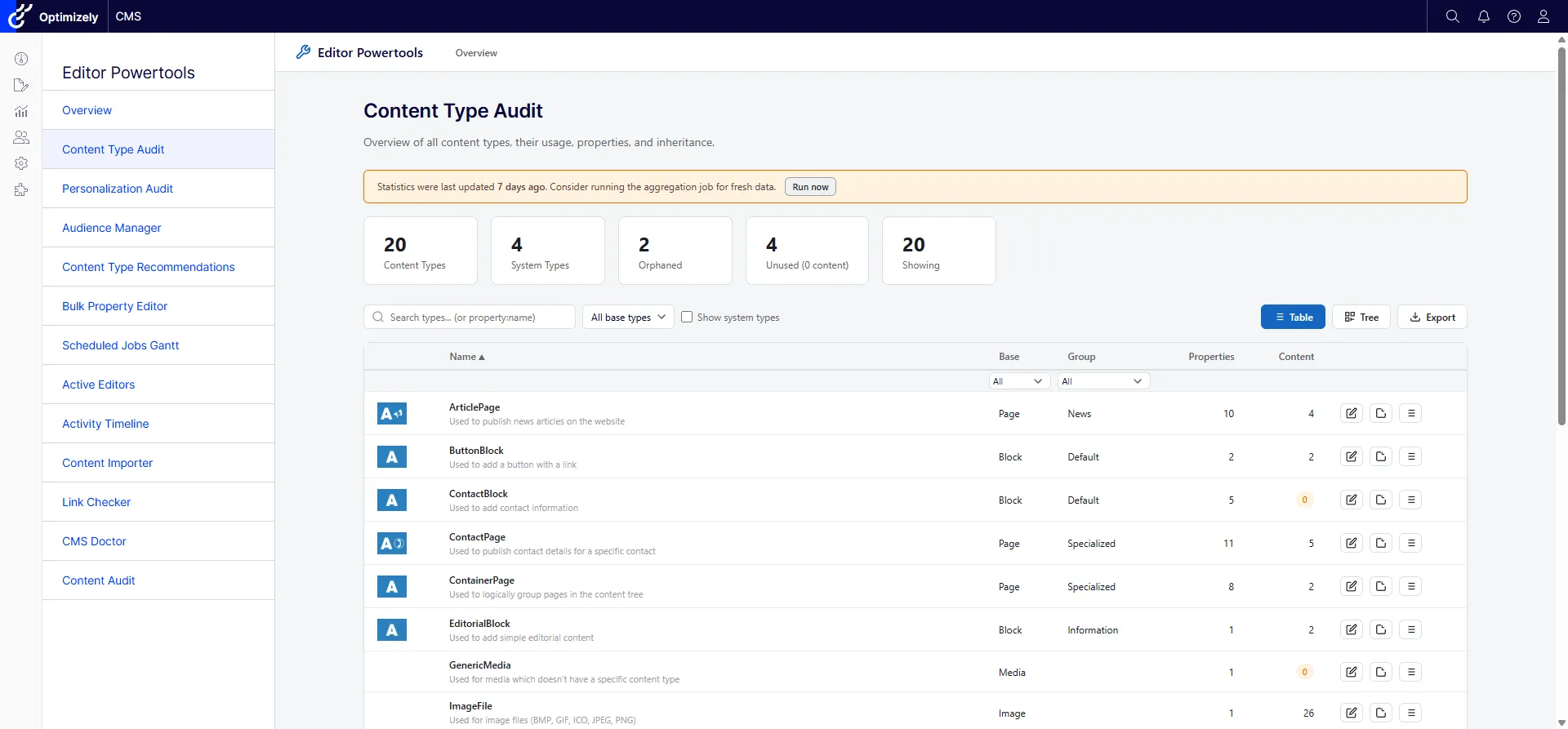
The Content Type Audit is the one I described above. It shows you every page and block type in the system, where each one is used, what properties are inherited or orphaned, and whether the .NET class has gone missing. CSV export when you want to take it into a meeting. Five sibling audits in the same family, covering content, language, link, personalization, and security, are the topic of post two.
Productivity — the things that should be one click
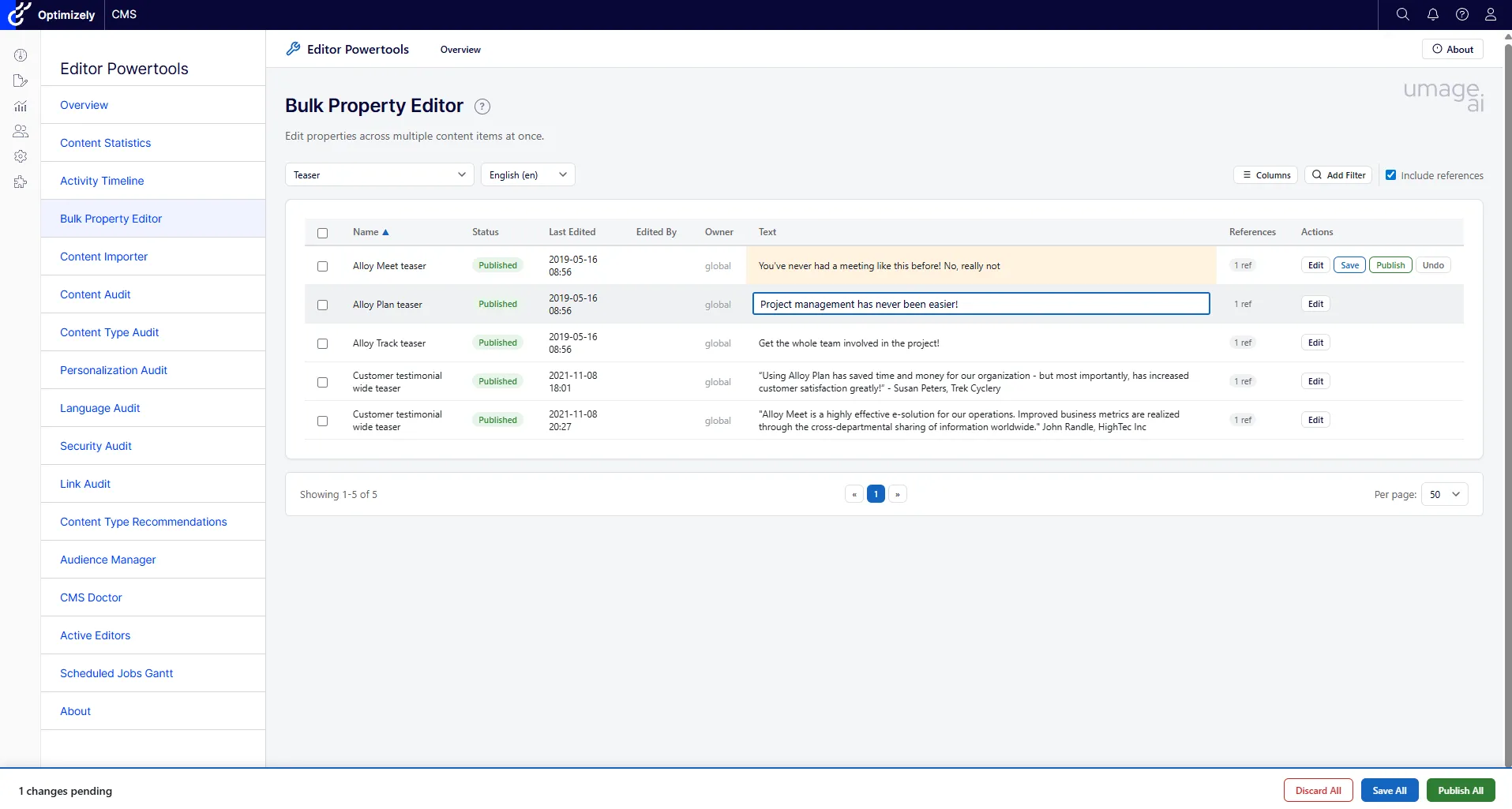
The Bulk Property Editor lets you filter, select, and inline-edit properties across hundreds of content items, then save or publish in a batch. It’s the tool that turns a half-day editor task into a five-minute one. Post three covers the productivity group as a whole, including the Content Importer, the Activity Timeline, and the Scheduled Jobs Gantt.
Configuration and admin — the boring infrastructure that matters
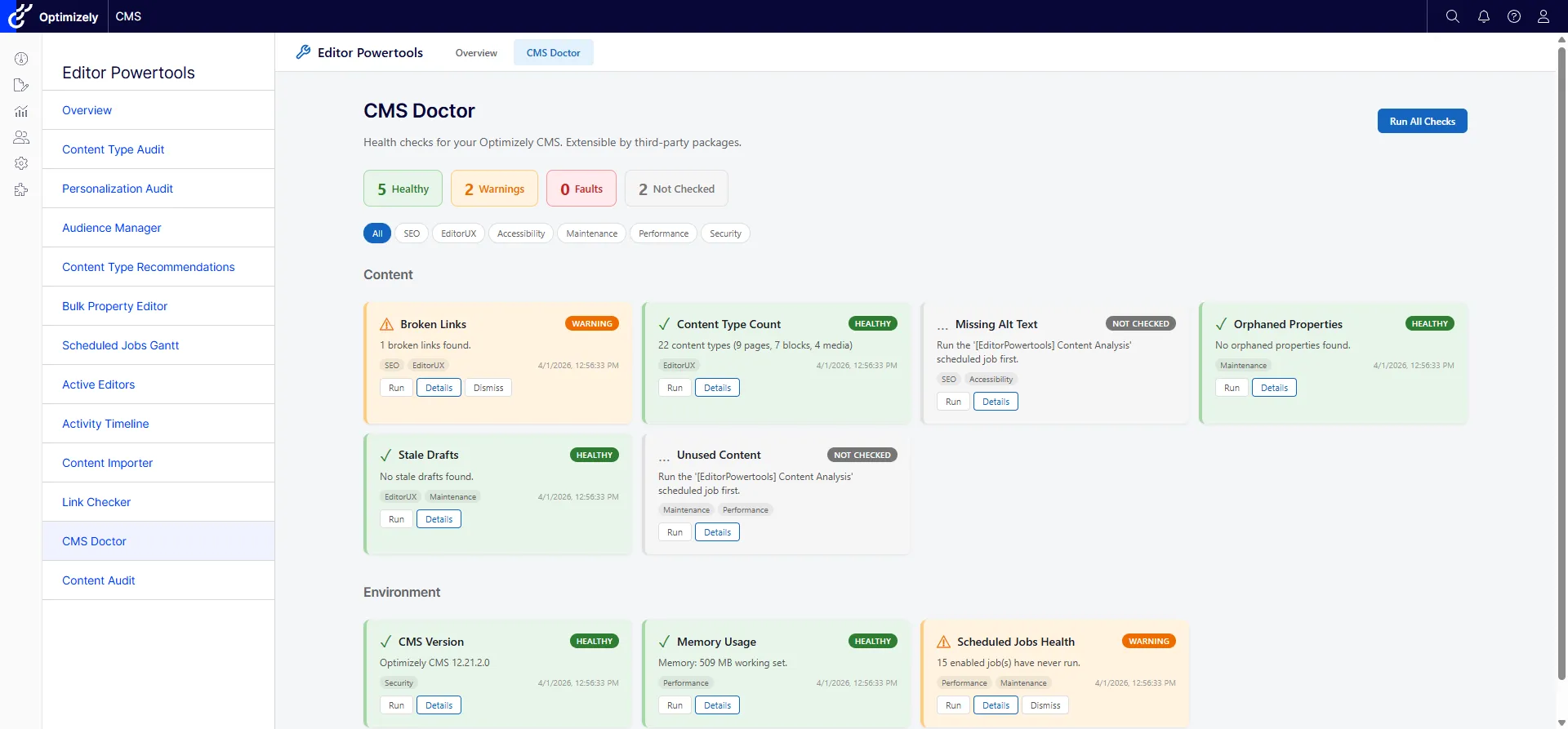
CMS Doctor is a pluggable health-check dashboard. It ships with built-in checks for the things that quietly accumulate on a real installation: orphaned content, mis-configured scheduled jobs, broken links, that kind of thing. You can write your own. Several of the checks have auto-fix buttons. Post four is a closer look at how to extend it, because pluggable health checks are the right shape for this class of problem.
Edit-mode integrations — the tools where the editor already is
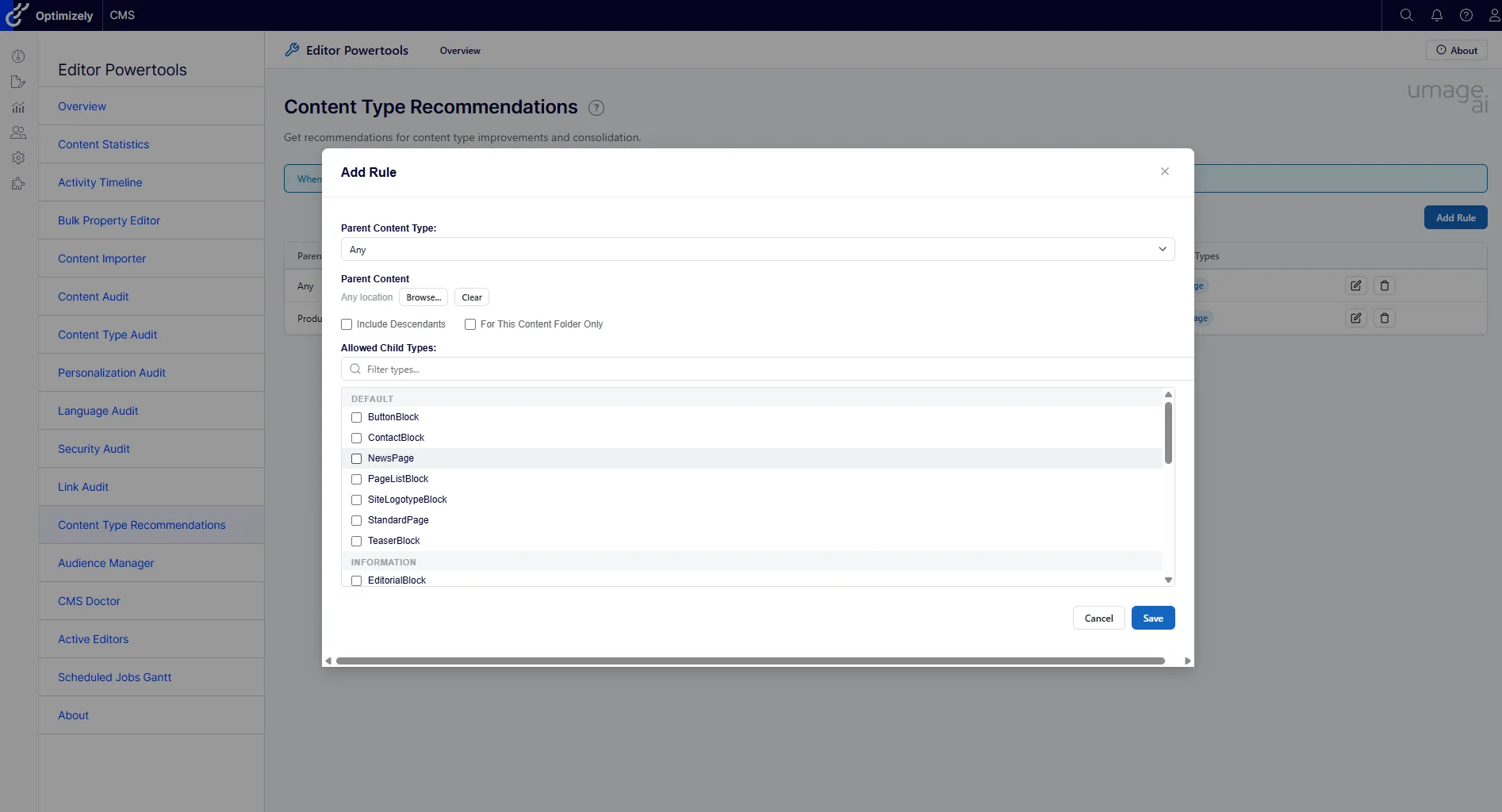
Content Type Recommendations, the other half of the content-modelling story, lets you define rules for which child types are allowed (or suggested) under a given parent. The rules then hook straight into Optimizely’s create-content dialog: when an editor adds new content under that parent, the CMS surfaces the types you’ve configured. No more scrolling through a wall of options to find the right one.
What’s coming over the next few weeks
I’ll be writing about each of these in turn, roughly one a week:
- Visibility — the audit tools, with the Content Type Audit story above in more depth.
- Leverage — bulk-edit, import, and the productivity tools that turn editor days into editor minutes.
- CMS Doctor — how to extend it, and why pluggable health checks are the right shape for this kind of work.
- Active Editors and editor chat — the real-time presence layer for distributed editorial teams.
- Forms — when the new functionality lands.
- Graph support — when that lands.
In the spirit of being honest about how this was made: I built Editor Power Tools largely with AI agents over roughly two weeks. The agents wrote most of the code; the humans involved had been thinking about these editor problems for years. The result is 162 unit tests, eleven language localisations, and a single multi-targeted package across two CMS major versions. There’s a post about that coming too, but it isn’t really the point. The point is what’s in the box.
Try it
Editor Power Tools is on GitHub, and there’s a fuller tour on the umage products page. MIT license. Install via NuGet, register the middleware, open Editor Power Tools from the CMS menu, and start using it. The full configuration reference and per-feature permission model is in the readme.
If you’ve lived inside a long-running Optimizely site for any length of time, you already have opinions about which of these tools you’d reach for first. I’d genuinely like to hear them — open an issue or a PR on the repo with feature ideas, bugs, or strong opinions about how any of this should behave. That’s the most direct line in.
If you’d like a hand getting it running, or you’re thinking about your wider Optimizely setup — content-model debt, performance, the bits getting in the way of editors — get in touch. Optimizely is what we do.
And if you’re still on CMS 11 and quietly putting off the upgrade: it’s a conversation we have a lot. We’ve got an offering built around exactly that.